Panda Clock: Digital Widget1.36.2
Publisher Description

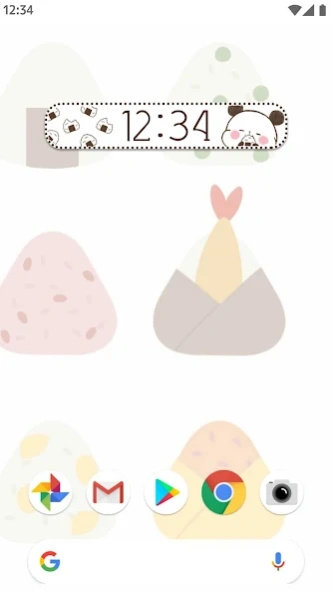
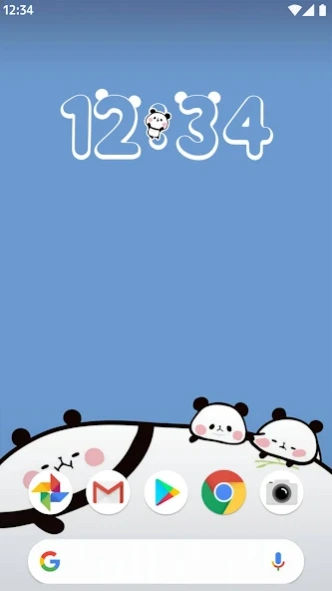

Cute panda digital clock! Personalize your screen with kawaii themes.
Make your home screen adorable with the "Panda Clock: Digital Widget" app!
This app features the popular Japanese character "Mochi Mochi Panda." These soft and cute pandas will bring a smile to your face every time you check the time.
[App Features]
・Adorable Clock Designs: Choose from various panda themes that match your wallpaper.
・Quick Alarm Access: Simply tap the widget to set your alarm with ease.
・Plenty of Free Themes: Unlock and enjoy different clock styles at no cost.
・Live Wallpapers Included: Complete your phone's look with matching panda wallpapers.
[This app is perfect for those who:]
・Love pandas and cute animals.
・Want a Japanese "Kawaii" style home screen.
・Are looking for a simple and functional digital clock widget.
Download now and let these sweet pandas brighten your day!
About Panda Clock: Digital Widget
The company that develops Panda Clock: Digital Widget is ArtsPlanet. The latest version released by its developer is 1.36.2.
To install Panda Clock: Digital Widget on your Android device, just click the green Continue To App button above to start the installation process. The app is listed on our website since 2026-09-07 and was downloaded 8 times. We have already checked if the download link is safe, however for your own protection we recommend that you scan the downloaded app with your antivirus. Your antivirus may detect the Panda Clock: Digital Widget as malware as malware if the download link to org.artsplanet.android.mochipandigitalclock is broken.
How to install Panda Clock: Digital Widget on your Android device:
- Click on the Continue To App button on our website. This will redirect you to Google Play.
- Once the Panda Clock: Digital Widget is shown in the Google Play listing of your Android device, you can start its download and installation. Tap on the Install button located below the search bar and to the right of the app icon.
- A pop-up window with the permissions required by Panda Clock: Digital Widget will be shown. Click on Accept to continue the process.
- Panda Clock: Digital Widget will be downloaded onto your device, displaying a progress. Once the download completes, the installation will start and you'll get a notification after the installation is finished.
Program Details
System requirements
Download information
Pricing
Version History
version 1.36.2
posted on 2026-09-07
Revised
